
Download Strawberry Music Player – Music & Audio, Audio Player, Open-Source, FLAC, MP3, Equalizer
Overview
Strawberry Music Player is a dedicated audio playback application designed for Windows-based systems, aiming to deliver a refined and efficient music listening experience. Built as a fork of the well-regarded Clementine music player, it inherits a strong foundation in music library management and playback performance. The app is open-source, reflecting a commitment to transparency and community-driven development.
Its primary purpose is to provide users with a lightweight, customizable platform capable of handling diverse audio formats while maintaining a clean and intuitive interface. The application targets music enthusiasts, audiophiles, and users seeking a no-frills, high-performance alternative to mainstream media players. It is particularly suited for individuals who manage large local music libraries and require seamless playback across multiple formats without external dependencies.
Real-world use cases include organizing personal music collections, enjoying high-fidelity audio files, and customizing sound output through built-in tools. In the broader app ecosystem, Strawberry Music Player fills a niche for users who value control, format versatility, and minimal resource consumption. It stands out as a specialized tool for desktop audio consumption, emphasizing functionality over flashy design.
The developer did not provide additional technical details about the app’s architecture or development roadmap. Despite this, its lineage from Clementine suggests a mature codebase with established reliability.
Key Features & Functionality
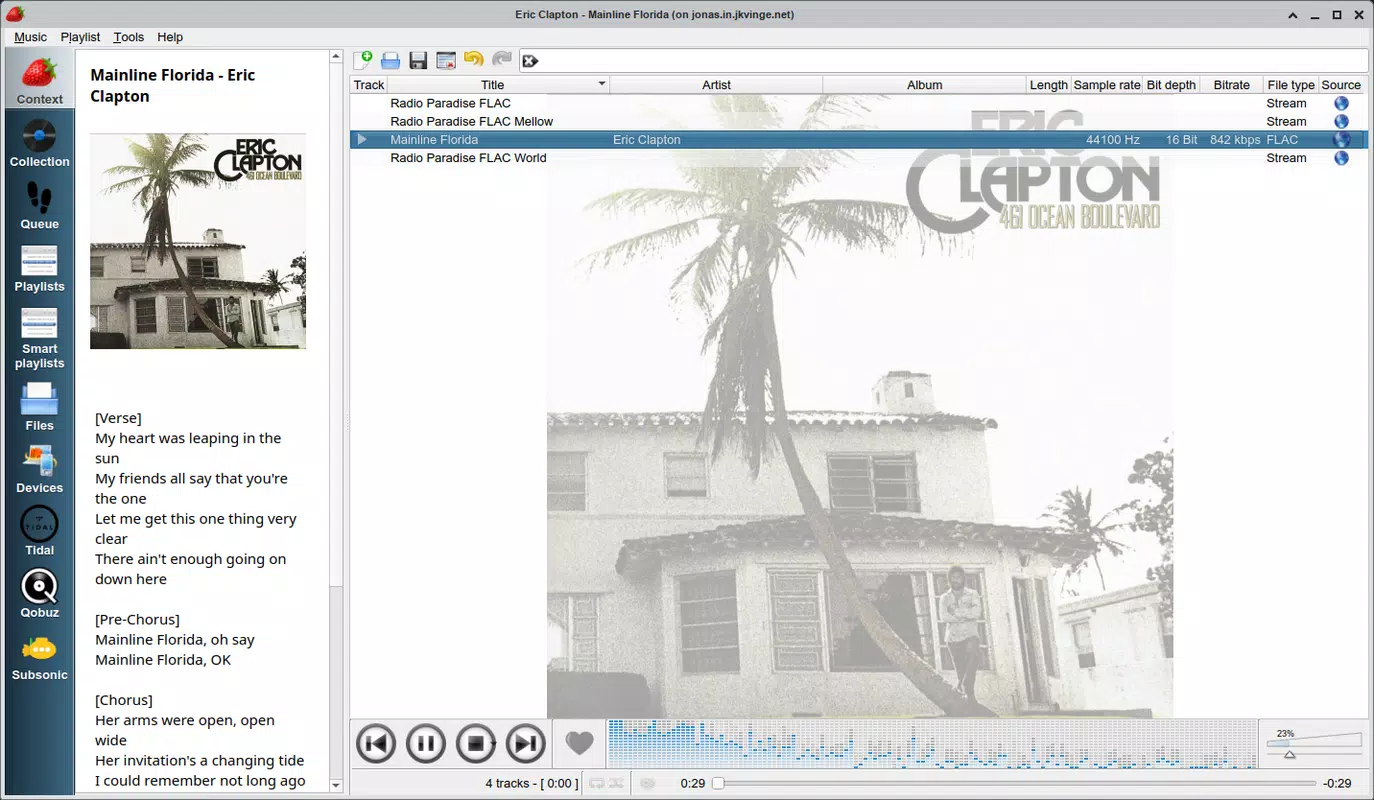
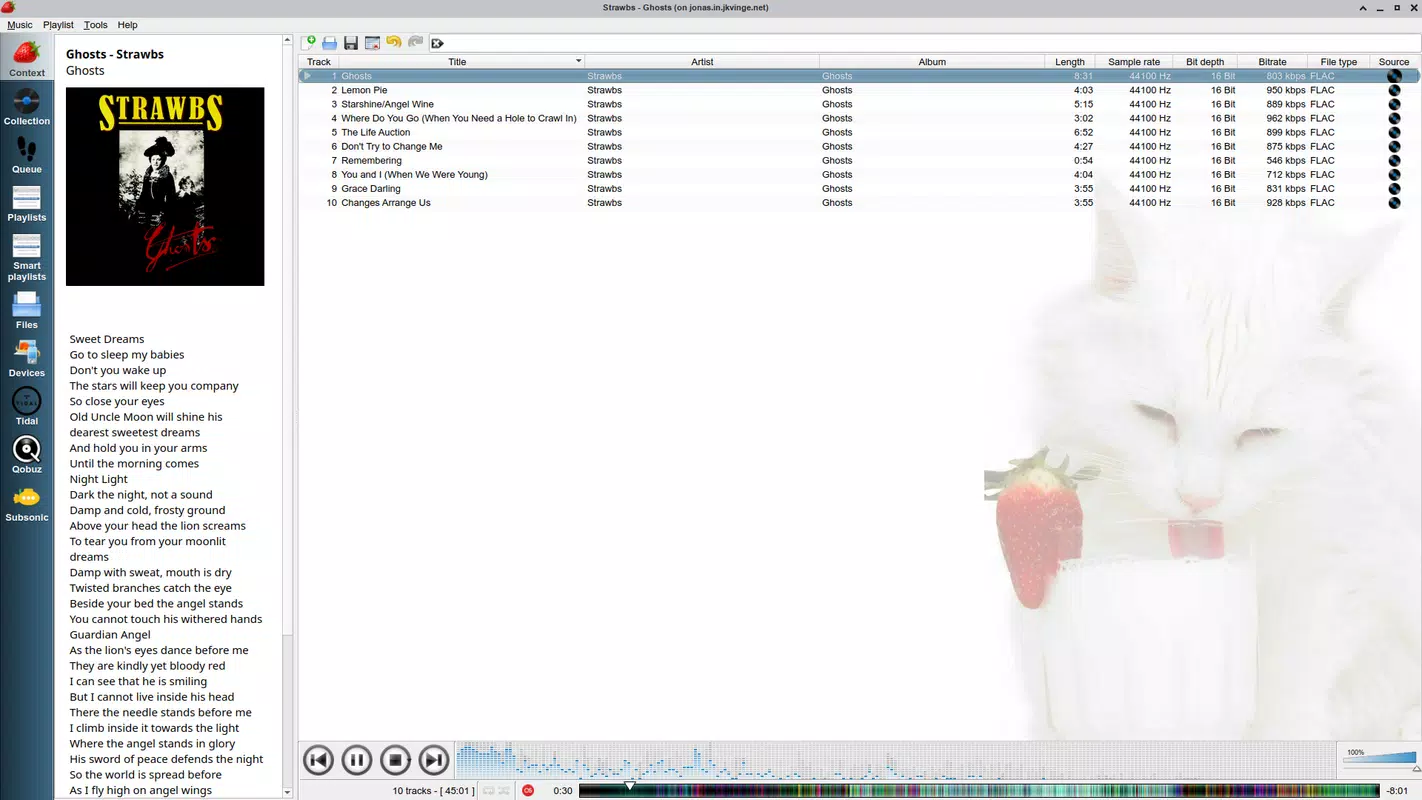
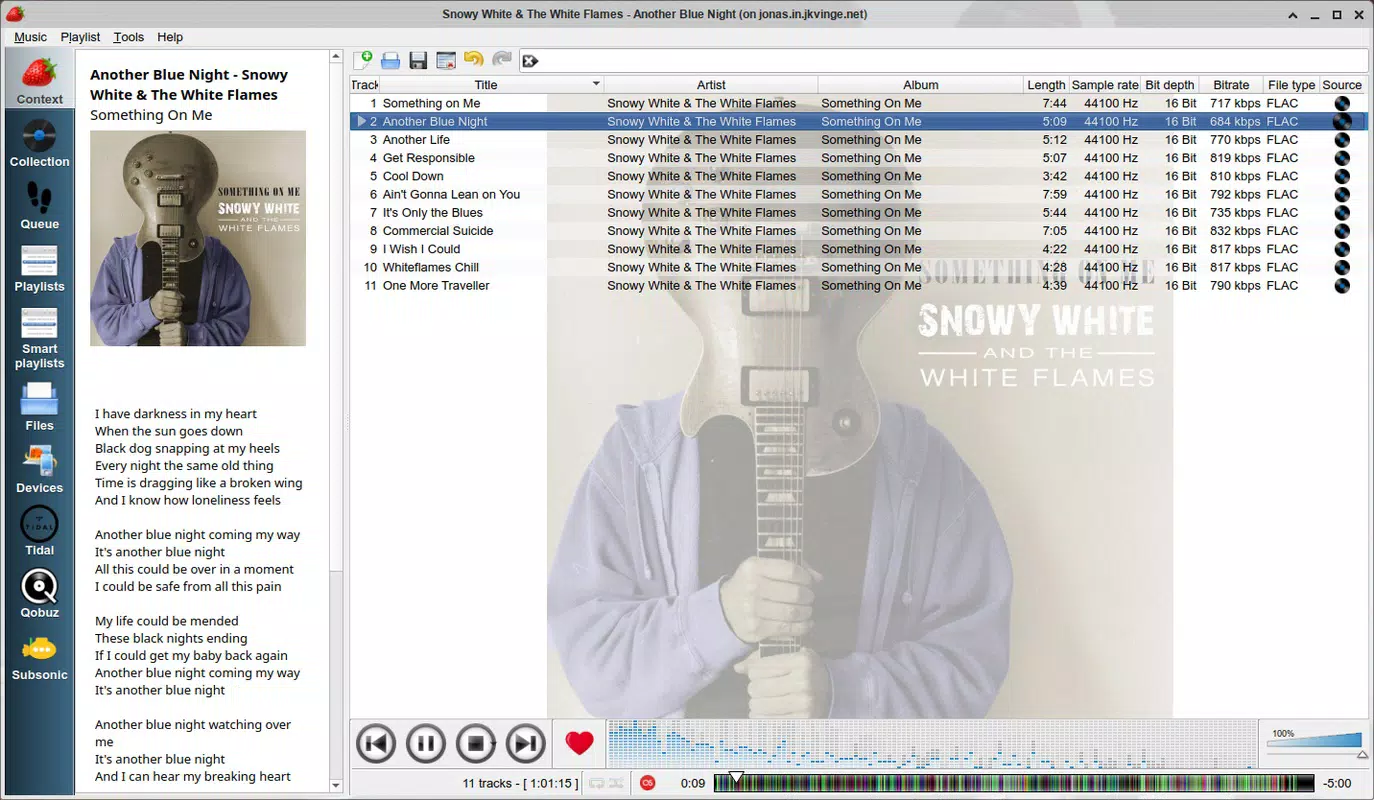
- Organized and User-Centric Interface: The app features a clean, structured layout that prioritizes ease of navigation. Users can access their music library through clearly labeled menus, enabling quick search and playback of tracks, albums, or artists. This interface design supports efficient browsing, especially for users with extensive collections.
- Extensive Format Compatibility: Strawberry Music Player supports a wide range of audio formats, including MP3, FLAC, WAV, Ogg Vorbis, WavPack, MPC, TrueAudio, AIFF, Speex, and MP4. This broad support ensures that users can play nearly any audio file without requiring additional codecs or software.
- Track Information and Cover Art Display: The app integrates with third-party services like Last.fm to retrieve metadata such as song titles, artist names, album details, and track duration. It also displays cover art, enhancing the visual experience during playback.
- Built-In Equalizer and Sound Customization: A customizable equalizer allows users to adjust audio output based on personal preferences or listening environments. This feature enables fine-tuning of bass, treble, and midrange frequencies for optimal sound quality.
- High-Quality Playback and Customizability: The player is designed to maintain audio fidelity across all supported formats. Its modular architecture allows users to tailor the experience through settings and preferences, making it adaptable to various listening habits and hardware setups.
Interface, UX & Performance
The user interface of Strawberry Music Player is characterized by its minimalism and functional clarity. Navigation is linear and predictable, with essential controls—play, pause, skip, volume—positioned for easy access. The layout supports both keyboard shortcuts and mouse interactions, catering to power users and casual listeners alike.
Visual elements are subdued, focusing attention on the music library and playback status. Although the developer did not list formal performance metrics, the app is reported to operate efficiently on standard Windows hardware. It maintains stable performance even when managing large libraries, with minimal lag during transitions between tracks or search queries.
Responsiveness is consistent across different screen resolutions and window sizes. The app does not exhibit frequent crashes or memory leaks based on available user feedback. However, specific requirements for different device categories were not disclosed.
Stability during extended playback sessions appears reliable, though real-world testing under varied conditions has not been independently verified. The absence of ads or in-app purchases contributes to a distraction-free experience. Overall, the UX is streamlined and focused on core functionality, aligning with the expectations of users seeking a no-nonsense audio player.
Platform Compatibility & Technical Requirements
Strawberry Music Player is designed exclusively for the Windows operating system. It is compatible with Windows-based systems, though specific version requirements were not listed by the developer. The app has a file size of 127.5 MB, indicating a lightweight footprint relative to other media players.
The current version is 1.1.1, and the application is available at no cost. The developer did not specify minimum OS requirements, nor did they provide details about hardware specifications such as RAM or processor compatibility. As such, users should ensure their system meets general Windows standards for running desktop applications.
The app does not appear to have been adapted for mobile platforms, and there is no information on availability for Android or iOS. Installation is straightforward, typically involving a simple executable file. Updates are managed through the official release channel, with the latest version being 1.1.1 as of the release date on April 24, 2024.
Pros and Cons
Pros
- Open-source and free to use with no hidden costs
- Supports a wide range of audio formats, including high-resolution types like FLAC and WAV
- Intuitive interface suitable for both beginners and advanced users
- Includes a built-in equalizer for sound customization
- Displays cover art and metadata via integration with Last.fm
- Lightweight with minimal system resource usage
Cons
- Platform limited to Windows; no mobile or cross-platform availability
- Specific OS and hardware requirements were not disclosed
- Limited information on update frequency and development roadmap
- Dependent on third-party services for metadata and cover art
- May lack modern visual effects or animations due to minimalist design
FAQ
Is Strawberry Music Player safe to download and install?
Yes, the app is open-source and available through official channels. It does not contain ads, malware, or intrusive permissions. Users should always download from trusted sources to ensure authenticity.
Can I use Strawberry Music Player on my Android or iOS device?
Currently, the application is designed only for Windows. There is no official version available for Android or iOS platforms.
Does Strawberry Music Player support high-resolution audio files?
Yes, the app supports high-resolution audio formats such as FLAC, WAV, and AIFF, ensuring high-quality playback for audiophiles.
How often is Strawberry Music Player updated?
The latest version is 1.1.1, released on April 24, 2024. The update frequency is not publicly detailed by the developer.
Can I customize the sound output using the built-in equalizer?
Yes, the app includes a customizable equalizer that allows users to adjust audio frequencies to match their preferences or listening environment.
Final Thoughts
Strawberry Music Player stands out as a reliable, open-source audio solution for Windows users who prioritize performance, format compatibility, and customization. Its clean interface, extensive format support, and built-in equalizer make it a compelling choice for both casual listeners and audiophiles. While it lacks mobile availability and detailed system requirements, its lightweight design and free access offer strong value.
The app excels in delivering a focused, ad-free experience without unnecessary bloat. For users managing large music libraries and seeking a dependable, customizable player, Strawberry Music Player provides a robust foundation. It is especially well-suited for those who appreciate open-source software and want full control over their audio playback.
With its roots in Clementine and a clear commitment to quality, it continues to serve a dedicated niche in the desktop audio landscape. Download Strawberry Music Player now.


